
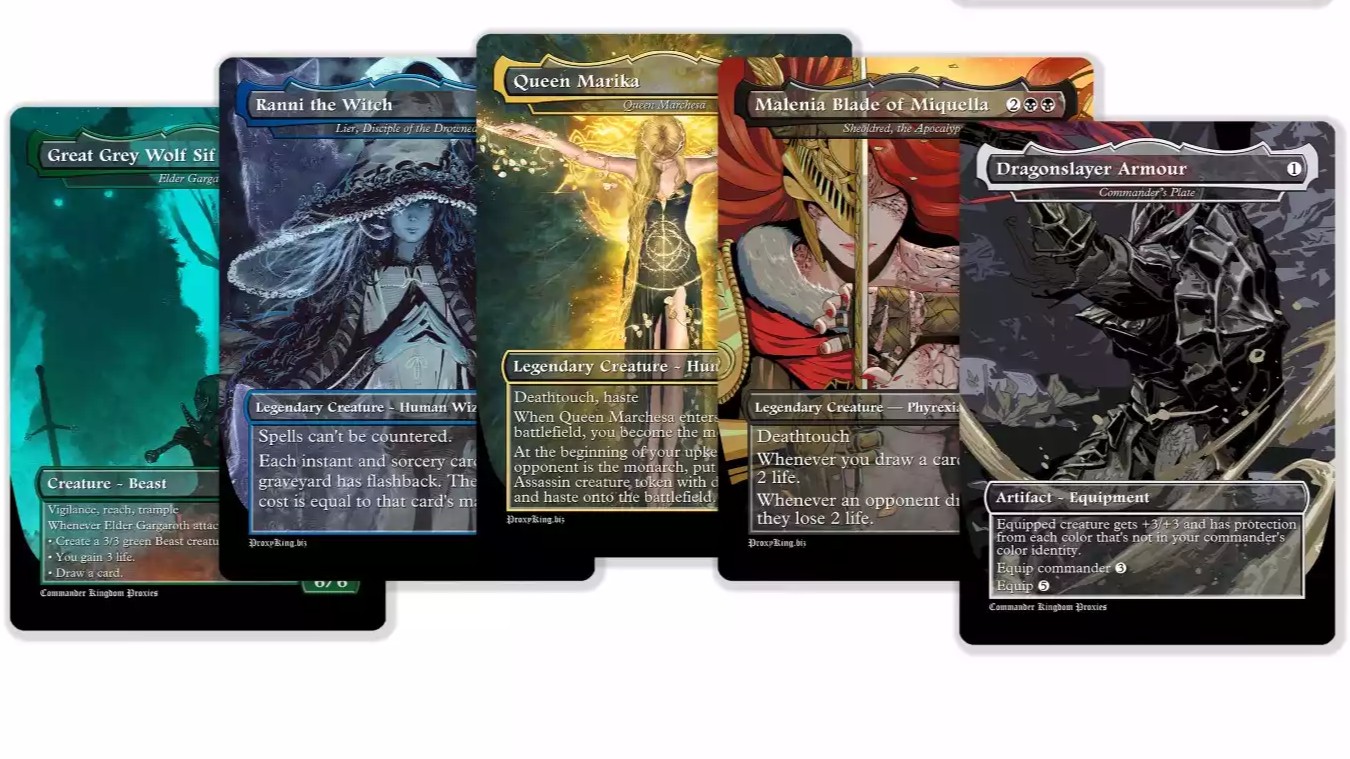
This post helps Magic players choose the best paper, stock, and finishes for durable Elden Ring and Dark Souls MTG proxies, so your deck survives shuffling, sleeves, and the occasional “who put salsa on the playmat” incident.
TLDR
- Durability comes from a stack: solid cardstock (ideally black core) + a protective finish (laminate or UV coat) + clean cuts + sleeves.
- Home printing, easiest win: print on decent paper, put it in a sleeve in front of a real card, and call it a day. It’s shockingly durable for how little effort it takes.
- If you want standalone cards at home: use heavier cover stock and add lamination, but expect thicker cards and fussier trimming.
- If you want “feels like a real deck” durability: black-core playing card stock + UV coating + precision cutting is the grown-up answer.
- For simplicity and price, use the PrintMTG Card Maker and let us print them with a durable UV-coated finish (so your Dark Souls deck doesn’t look like it lost a boss fight to your own hands).
You’re making durable Elden Ring and Dark Souls MTG proxies, which means you’ve already accepted two truths:
- you deserve nice cards, and 2) the art is going to be 73% shadows, 20% despair, and 7% “is that a sword or just trauma?”
Durability matters more with dark fantasy themes because muddy blacks, scuffed surfaces, and fuzzy edges show up fast. The good news is you don’t need a print shop in your garage to fix it. You just need the right materials, in the right order.
What “durable” actually means (in proxy terms)
Most proxies don’t “die.” They slowly become embarrassing.
Here are the four common failure modes:
- Surface wear: scuffs, scratches, and the dreaded “shiny thumb zone.”
- Edge wear: fuzzing, whitening, and corners that catch sleeves.
- Warping: humidity, ink load, and cheap paper doing cheap paper things.
- Transparency/show-through: you can see the back printing through the front under light, which screams “home printer special.”
If you want durability, you’re optimizing for feel, opacity, and surface protection, not just “printed the art.”
The durability stack: stock, print, finish, cut
Think of durability like armor pieces. You can’t equip only a helmet and call it a build.
1) Stock: the core matters more than people think
For proxies that feel “real” in-hand, playing card stock with a colored core is the gold standard. A black core is especially useful because it:
- blocks light (less show-through),
- adds snap and structure (less flimsy, less paper-y).
Office-store cardstock often looks fine at first, then betrays you the moment you shuffle it twice.
2) Print method: don’t let your ink be the weak link
For home printing, durability depends on what actually lands on the paper:
- Laser (toner): generally more moisture resistant and less smudge-prone.
- Inkjet: can be great, but dye inks are often less water resistant than pigment inks.
If you’ve ever wiped a freshly printed sheet and watched the blacks smear into sadness, you already know why this matters.
3) Finish: lamination vs UV coating (the “protect the surface” step)
- Lamination: plastic film bonded to the sheet. Very protective, can be fully waterproof if encapsulated. Tradeoff is thickness and edge trimming.
- UV coating: a liquid coating cured with UV light. Great for scuff resistance and handling feel, usually thinner and more “card-like” than lamination.
4) Cutting and corners: durability is also geometry
A proxy with a perfect print can still feel awful if:
- the cut is inconsistent,
- corners are sharp or uneven,
- edges snag sleeves.
Clean cuts and rounded corners are boring, which is how you know they matter.
Good, Better, Best materials for durable Elden Ring and Dark Souls MTG proxies
Here’s the framework that saves you from overthinking it.
Good (cheap, fast, surprisingly durable in sleeves)
Best for: playtesting, quick theme decks, “I want to jam games tonight.”
Materials
- Decent printer paper (not tissue-thin)
- Sleeves
- Bulk commons/basic lands as backing cards
Why it works
The sleeve and backing card do most of the durability work. Your printed face is basically a protected insert. It’s the printing equivalent of wearing plate armor because you’re emotionally fragile (respect).
Tradeoffs
- Not standalone cards
- Less satisfying “snap” out of sleeve
Better (home standalone cards that hold up)
Best for: people who enjoy making things, and also mild suffering.
Materials
- Heavy cover stock (think “postcard-ish,” not “resume paper”)
- Prefer laser printing or pigment ink inkjet if possible
- Lamination (pouch or self-adhesive sheets)
Notes on lamination
Lamination absolutely helps, but it’s not magic:
- It adds serious scuff resistance
- It can add water resistance
- It also adds thickness, which can make a deck feel clunky
If you go this route, thinner laminate (like 3 mil) usually plays nicer than thicker pouches (like 5 mil), unless you’re trying to make proxies that double as coasters.
Tradeoffs
- More time
- More trimming
- Thicker cards
Best (the “just want a real-feeling deck” option)
Best for: Commander nights, cubes, or anyone who’s tired of arts-and-crafts as a lifestyle.
Materials/process
- Black-core playing card stock
- Professional printing consistency
- UV coating
- Precision cutting and cornering
This is the lane we live in at PrintMTG. We print on black-core stock and apply a UV satin finish designed for shuffle feel and surface durability. If you want the “durable Elden Ring and Dark Souls MTG proxies” experience without turning your dining table into a cutting mat museum, this is the cleanest path.
Quick comparison table
| Option | Stock | Surface protection | Feel in-hand | Effort |
|---|---|---|---|---|
| Good | Paper + backing card | Sleeve does the job | Fine in sleeves | Low |
| Better | Heavy cover stock | Lamination | Thicker, stiffer | Medium-high |
| Best | Black-core card stock | UV coating | Most “real deck” | Low (for you) |
Home printing: a simple material checklist (no artisanal nonsense)
If you’re printing at home, use this checklist and you’ll avoid 90% of “why do these feel bad” problems.
- Paper/stock: pick the thickest stock your printer reliably feeds (misfeeds are a sign, not a challenge)
- Ink/toner: favor laser or pigment ink if you can
- Protection: use lamination if you need standalone durability
- Sleeves: always sleeve anything you plan to shuffle more than once
- Storage: keep decks in a box, not loose in a backpack next to your keys and regrets
Why Elden Ring and Dark Souls art needs better materials
Dark fantasy proxy decks look incredible when printed well, and like a wet newspaper when printed poorly.
Common issues:
- Crushed shadows: cheap paper and weak blacks turn subtle detail into a blob.
- Low contrast text: rules text needs to stay crisp. Muddy prints make it harder to read across the table.
- Finish glare vs matte haze: super glossy finishes can glare under overhead lights, but ultra-matte uncoated stock can make dark art look dull.
A satin-style UV coat or a sensible laminate helps keep blacks rich while protecting the surface. Also, if your art file is low-res, no finish is going to save it. It will simply be protected blur.
The “easy button”: PrintMTG Card Maker + UV-coated prints
If you want durable proxies and you don’t want a new side hobby called “corner rounding at 1:00 a.m.”, use:
- PrintMTG Card Maker to build your Elden Ring and Dark Souls MTG proxies (custom art, frames, text, the whole thing)
- Our print service to produce them on black-core stock with a UV-coated finish that’s built for handling and shuffling
This is the boring, reliable answer. Which is exactly why it works.
FAQs
Does lamination make MTG proxies too thick?
It can. Lamination is durable, but it adds thickness fast. Thinner laminate tends to shuffle better. If you want “real deck” feel, lamination is usually a compromise compared to professional stock + UV coating.
Is UV coating the same as lamination?
No. Lamination is a bonded plastic film. UV coating is a cured liquid coating. Both protect the print, but they feel different and behave differently with wear.
Do I need black-core cardstock for durable proxies?
If your goal is “durable in sleeves and feels like a real deck,” black-core (or at least colored core) stock is a big step up. If you’re using paper inserts with backing cards, it matters less because the sleeve does the heavy lifting.
Inkjet or laser for home proxy printing?
Laser prints (toner) tend to resist moisture and smudging better. Inkjet can be great too, especially with pigment inks, but dye inks are more likely to run if they get wet.
What size should I print MTG proxies?
Traditional Magic card sizes are approximately 2.5 inches by 3.5 inches. If you’re printing at home, make sure you are not scaling the print, or you’ll end up with “slightly off” cards that feel annoying forever.